Import history
Import history shows each import from Endorsal: what came across, what was skipped and what went wrong.
Where to find it
In Settings, click Integrations.
Under Import Sources, on the Endorsal card, click Show import history.
You see the last 10 imports, newest first, in your own time zone. Lookup sources have no history, and Find author emails runs are not listed here.
An import appears only when it finishes, and the list does not refresh by itself. If you just clicked Import, wait a moment and reload the page.
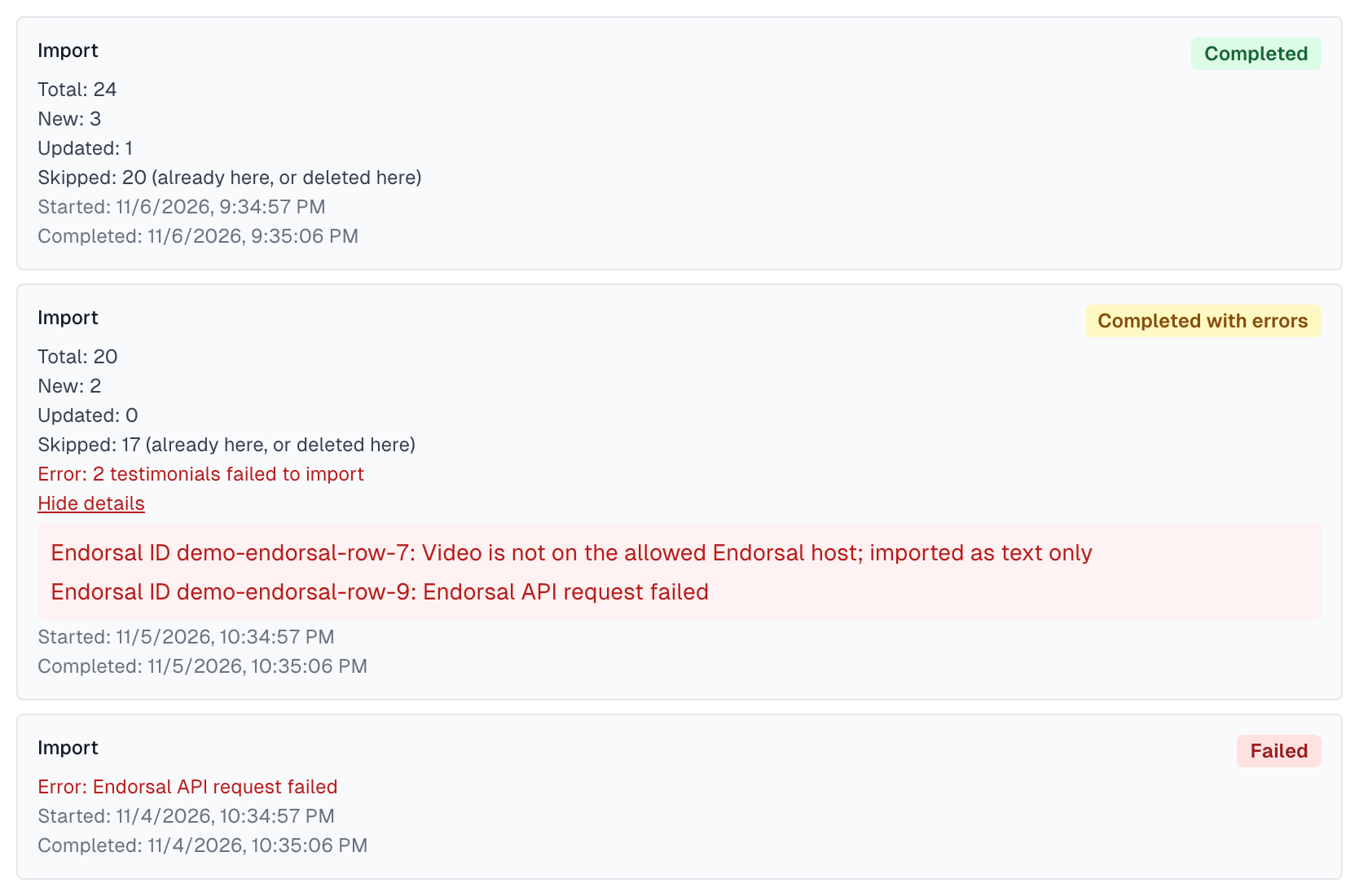
What an entry shows
Line | What it means |
|---|---|
Total | How many testimonials Endorsal holds, which is how many the import looked at. |
New | How many it added here. |
Updated | How many testimonials you already had that it changed. Only a status, or a video or photo copied again, can change. |
Skipped | Testimonials already here, ones you deleted here, ones that started in Magic Testimonials and were once sent to Endorsal, and ones from an author whose data we erased. A high number is normal. |
Error | What went wrong, if anything. |
Started and Completed | When the import began and ended. |
What the badge means
Completed: everything in the import worked.
Completed with errors: some testimonials came across and some did not. Click Show details to see which ones, by their Endorsal ID, and why. The first five are listed.
Failed: the import could not reach Endorsal or read your testimonials, so it stopped.
Common entries
Completed, with a high Skipped number
Normal. Most of what Endorsal holds is already here.
Completed, New: 0
Normal. There was nothing new in Endorsal.
Completed with errors, imported as text only
That testimonial was added, but its video is not on a host we copy from, so it came across as text. Check the video in Endorsal.
Completed with errors, with any other reason
Click Import again later. A testimonial that was not added is tried again on the next import.
Failed
Often the connection. Click Test on the card. If it fails, see Import from Endorsal.
Good habits
Check the history after each import. Imports run only when you click Import, so nothing new arrives on its own.
Do not chase Skipped. It is not an error.
Last updated