Auto-summarization
AI picks a short summary, a main quote and the best moments from each testimonial, so your widgets can show the strongest part. You can edit any of them.
What you get
Open a testimonial and look for the AI picks card:
AI summary: a short line in AI's own words, up to 80 characters.
Main quote: one or two sentences copied word for word, up to 280 characters.
Best moments: up to three short quotes, also word for word. On a video, each can have a time. See Playback controls.
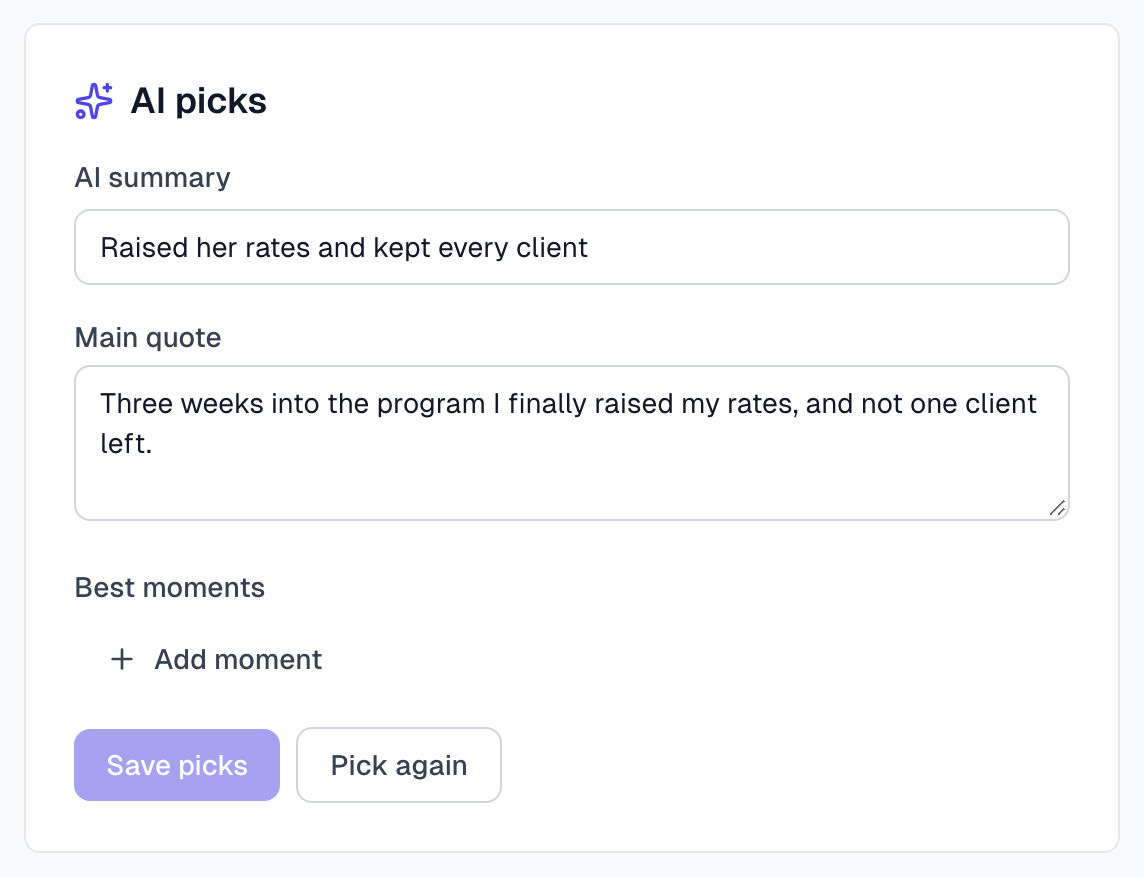
AI makes these by itself after a testimonial has text. For a video, it works from the transcript. They use no AI captures.
A very short testimonial says Too short to summarize. The whole text is used. That is fine, because there is nothing to shorten.
Where they appear
The widget's design decides which picks it shows. Spotlight shows the AI summary and the main quote, and Story shows the best moments. To check a testimonial, open How it looks in widgets on its page.
An anonymous testimonial never shows the AI summary, because it could name the author.
Change the picks
Edit the text in the AI picks card. You can also remove a moment, or click Add moment.
Click Save picks.
The quote and the moments are meant to be the author's exact words. If yours differ, you see This isn't word for word from the testimonial. Fix it, or click Save anyway and it is marked Reworded.
AI keeps your edits. Editing the testimonial text does not overwrite them.
Ask for new picks
Click Pick again, or Pick now if there are none yet. If your team edited the picks, you are asked to confirm, because new picks replace those edits.
When you change a written testimonial's text, AI makes new picks by itself, unless your team edited them. Then you see The text changed since these were picked and can click Pick again when you are ready.
The other summary
When AI reads a screenshot, it also writes a summary of one or two sentences. This one has no field on the testimonial page. It is used in search and in exports. Reprocess replaces it.
If something goes wrong
It says Couldn't pick. Try again
Click Pick again.
It says No picks yet
The testimonial may have no text yet. Add the text, or wait for AI to finish reading it. Then click Pick now.
The AI summary says something odd
Treat it as a draft. Correct it and click Save picks. Do this before you approve the testimonial if your widgets use Spotlight.
Last updated