Organization settings
Set your organization's name, support email, logo and mailing address. Do this before you send your first permission request, because the request needs them.
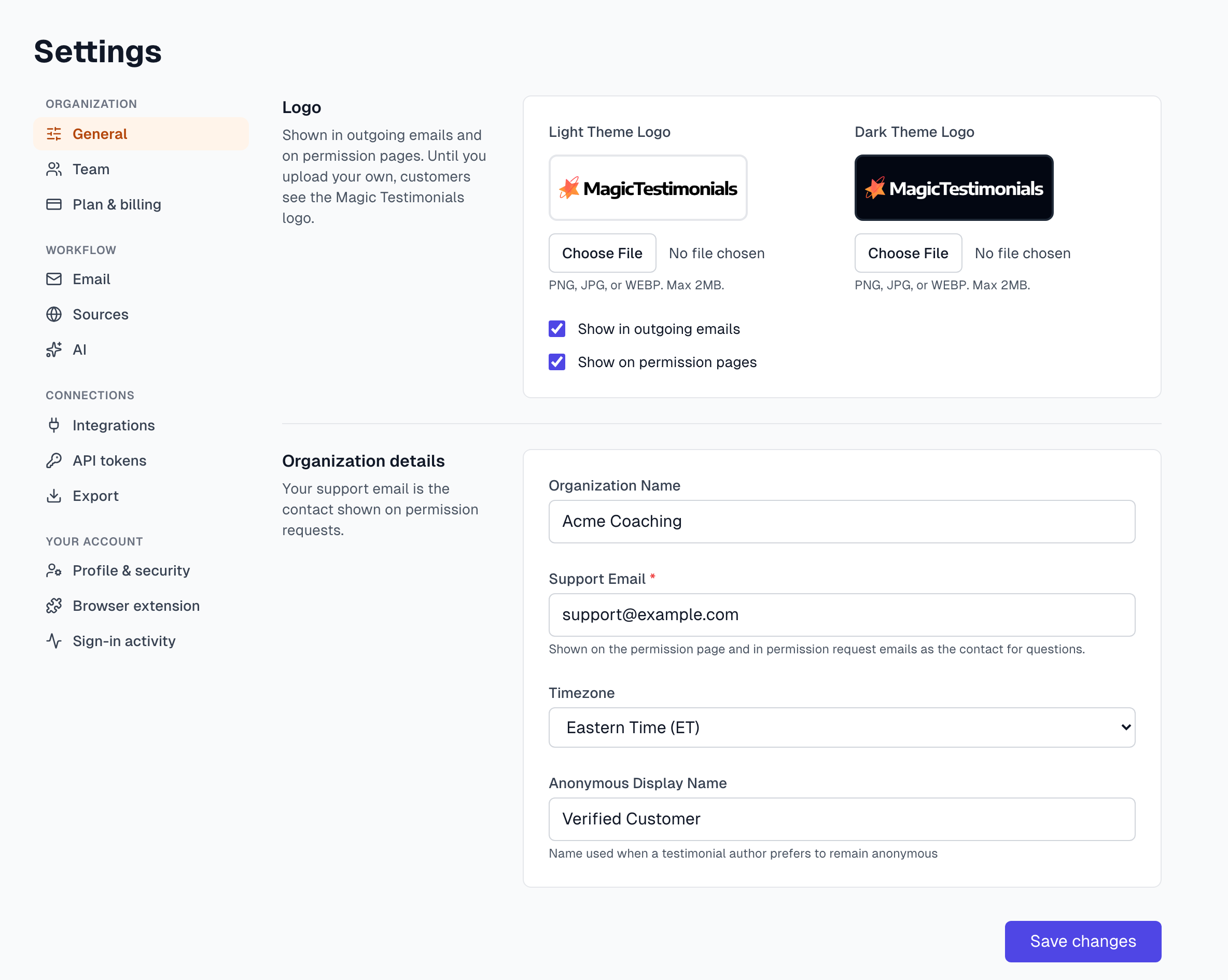
Set your organization details
Click Settings at the bottom of the sidebar. General opens first.
Check Organization Name. Testimonial authors see it in your permission emails, so use your public name.
Enter a Support Email. This is required. Authors see it on the permission page and in the email, so use an address someone reads, not a no-reply address.
Choose your Timezone.
Check Anonymous Display Name. This replaces the author's name when they ask to stay anonymous. The default is Verified Customer, and you can use something like Happy Client.
Click Save changes.
You must be an Owner or Admin to change these settings.
Add your logo
Your logo appears in outgoing emails and on permission pages. Until you add one, customers see the Magic Testimonials logo. Custom logos depend on your plan. If you see Upgrade your plan here, see Plans overview.
On General, under Light Theme Logo, click Choose File and pick a PNG, JPG or WEBP file of up to 2 MB. It uploads straight away.
Add a Dark Theme Logo if you have one. Without it, your light logo is used.
Choose where it shows: Show in outgoing emails and Show on permission pages.
Click Save changes.
Add your mailing address
You cannot send permission requests until you add a physical mailing address. It appears in the footer of your emails.
In Settings, click Email.
Under Physical Mailing Address, fill in your company name and address.
Click Save Address.
If something goes wrong
Support email is required
Your changes on General do not save without a Support Email. Add one and click Save changes again.
My logo will not upload
The file must be a PNG, JPG or WEBP of 2 MB or less. Logos show at a small size, so export a smaller version and try again.
I do not see General in Settings
Your role is Member. Ask an Owner or Admin to make the change, or to change your role.
Next steps
Last updated