Tracking engagement
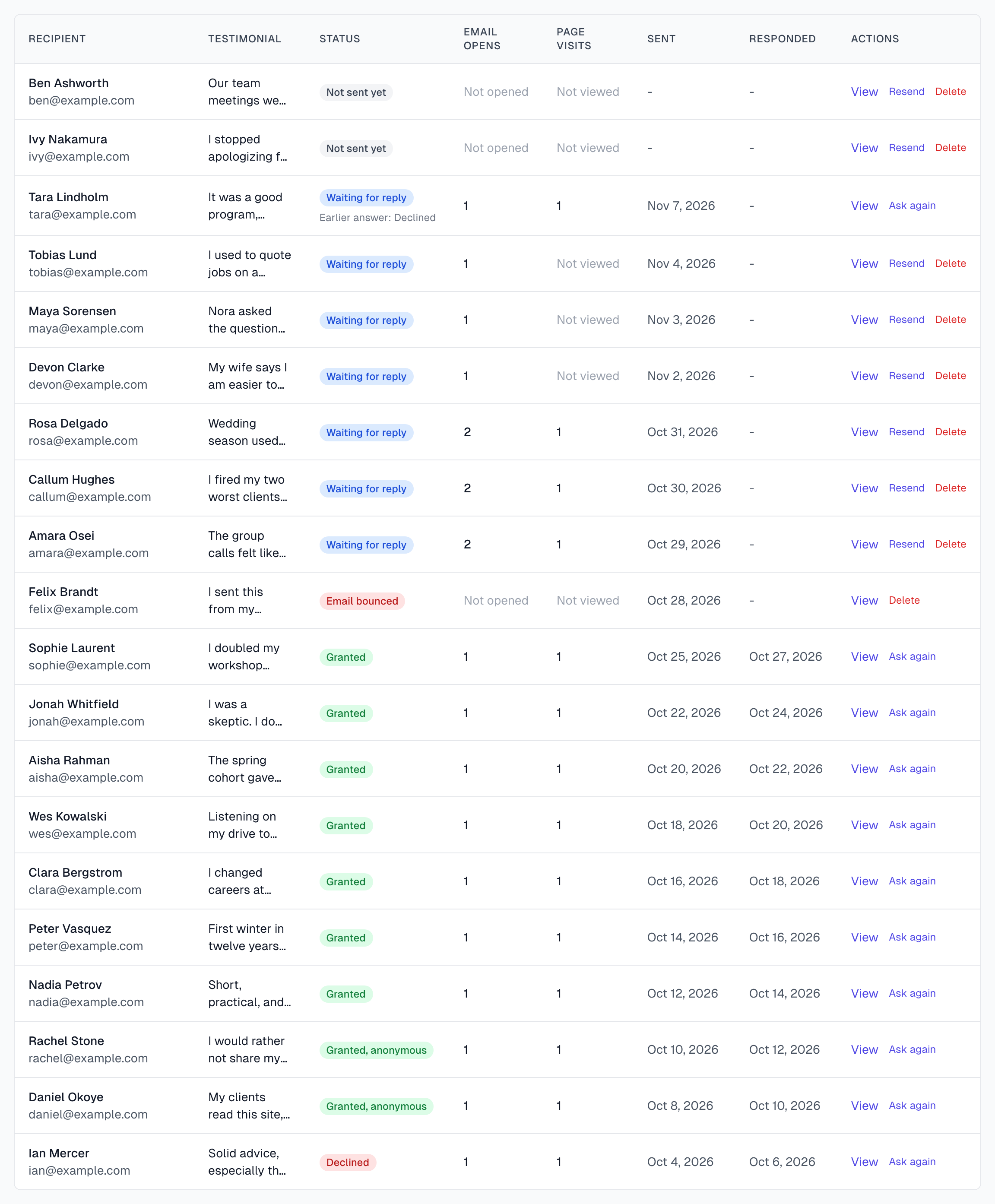
For each request you can see whether the email was opened and whether the consent page was visited. Use this to decide whether to wait, follow up or check the address.
Where to look
On the Permissions page, each row shows the counts for one request. Not opened and Not viewed mean the count is zero so far.
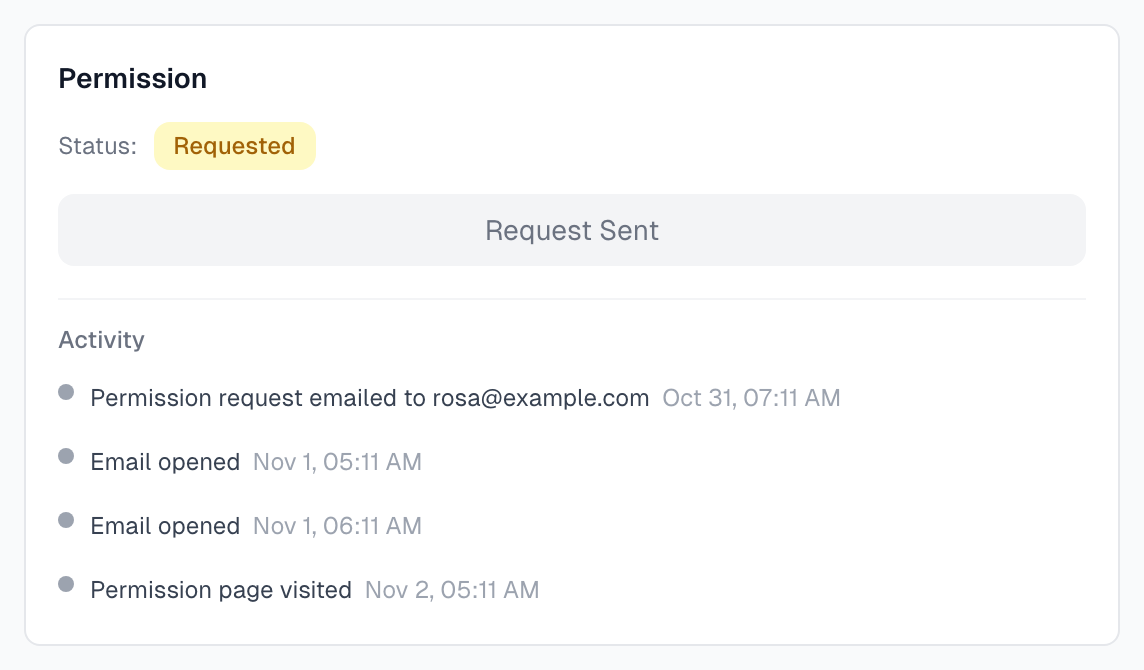
On a testimonial, the Activity list in the Permission card shows each event with its date. A gray dot is a routine event, green is a yes, and red is a bounce or a no.
What each signal tells you
Sent
The email left Magic Testimonials. It does not mean the email reached the inbox.
Email Opens
This counts each time a tiny image in the email loads. Treat it as a rough guide:
Some email apps and security tools load images by themselves, so the count can be high with nobody reading.
Other apps block images, so the count can be zero when the author did read it.
Reading the email twice counts twice.
Page Visits
This counts each time the consent page opens. It is a stronger signal, because someone followed the link. It is not proof of who it was. Some email security tools follow links, and you add a visit if you open the link yourself.
Responded
The date the author answered. It stays empty until the author answers, and while an author is being asked again.
What to do next
What you see | What it probably means | What to do |
|---|---|---|
Not opened after several days | It went to spam, or images are blocked | Check the address, then click Resend |
Opened, Not viewed | They saw it and did not click | Give them a few days, then click Resend |
Visited, no answer | They are thinking about it | Give them time, or send a personal note if you know them |
Email bounced | It never arrived | See Bounce handling |
Marked as spam | They reported the email | Do not contact them again |
Good habits
Trust page visits over opens.
Compare many requests, not one. A single low count tells you little. A low count across 50 requests says something about your subject line or sender.
What is recorded
Each open and visit is stored with its time, IP address and browser. The app shows you the time only. See Legal and GDPR.
If something goes wrong
Opens say zero, but the author says they read it
This is normal when images are blocked. Look at Page Visits instead.
Lots of opens and no visits
An automatic email scanner is probably loading the email. Ignore the count.
The author says they never got it
Last updated