Import from Endorsal
Endorsal is a separate testimonial platform. If you keep testimonials there, connect it under Settings > Integrations and click Import to copy them into Magic Testimonials. An import only reads from Endorsal, and it runs only when you click.
Before you start
You need the API key from your Endorsal account.
You need to be an Owner or Admin. Members do not see Integrations in Settings.
Connect Endorsal
In Settings, click Integrations.
Scroll down to Import Sources, below the lookup sources.
Next to Endorsal, click Connect.
Paste your API Key.
Click Connect. We check the key before saving it.
Endorsal now shows Connected. Nothing is imported yet.
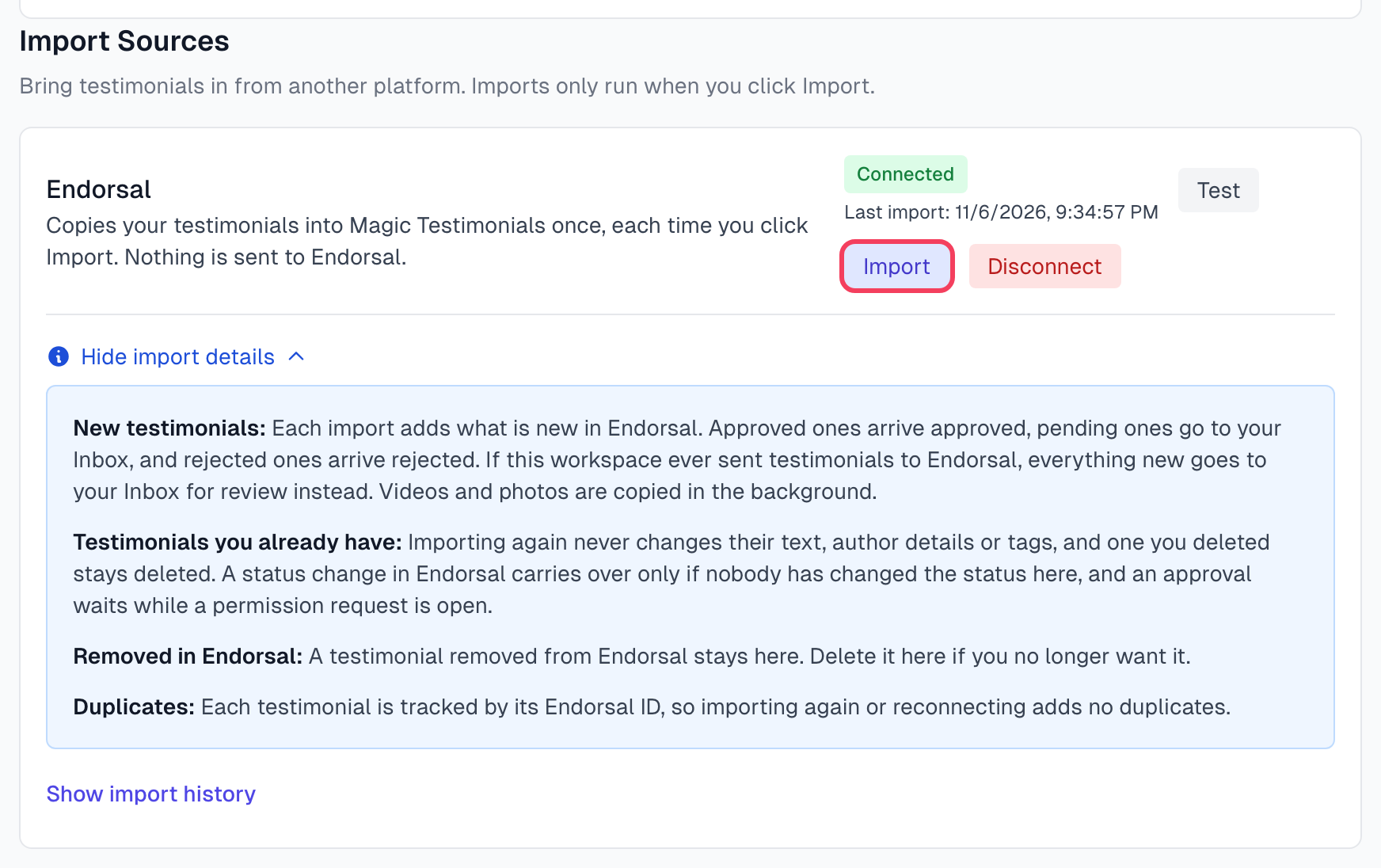
Import your testimonials
Click Import.
You see Import queued. Results show in import history.
Give it a few minutes, then reload the page and click Show import history.
The import runs in the background, so you can leave the page. Videos and photos are copied after the testimonials arrive. Last import shows when the last import finished.
Imports run only when you click Import. Nothing is imported on a schedule. To bring in testimonials added to Endorsal later, click Import again.
What comes across
Each import adds the testimonials you do not have yet, with their status:
In Endorsal | Here |
|---|---|
Approved | Approved and Live, so it can appear in your widgets right away |
Waiting for approval | Inbox |
Rejected | Rejected |
Permission: it is assumed, and no request goes out. The exception is below.
Author details: the name, title, company, email, location, photo and rating come across.
Tags: they come across as tags. The first product tag becomes the project.
Featured: a testimonial featured in Endorsal is marked Featured here. You can change that on the testimonial page.
Text testimonials: they use no AI captures. AI picks are still made.
Videos: they are copied in the background and then transcribed. Writing their text uses no AI captures either. See Video testimonials.
If this workspace ever sent testimonials to Endorsal, everything new goes to your Inbox for review instead, whatever its status in Endorsal. Its permission is not settled, so it is not assumed on import. When someone clicks Approve, permission is assumed and it goes live.
A new testimonial from an author whose data we erased at your request is skipped.
Import again
Importing again is safe:
New testimonials in Endorsal are added.
Testimonials you already have keep their text, author details, rating, tags and Featured setting. One you deleted here on or after November 6, 2026 stays deleted. One deleted before that date can come back, see below.
A status change in Endorsal carries over only if nobody has changed the status here since the import set it. An approval there waits while a permission request is open here, and never overrides a Declined answer.
A testimonial removed from Endorsal stays here. Delete it here if you no longer want it.
A video or photo that could not be copied is tried again.
Each testimonial is tracked by its Endorsal ID, so importing again, or disconnecting and connecting again, adds no duplicates. How does importing work? on the Endorsal card says the same in short.
Check what happened
Click Show import history for the last 10 imports, with how many testimonials were new, updated and skipped, and any errors. Import history explains each entry.
Disconnect
Click Disconnect.
In Disconnect this integration?, click Disconnect.
Testimonials you already imported stay in Magic Testimonials. Disconnecting stops us using the key, but it does not cancel it. To end access for good, delete the key in Endorsal.
If something goes wrong
It says Unable to connect to Endorsal. Please check your API key.
The key is wrong or no longer valid. Copy it again from your Endorsal account, with no extra spaces.
It says Could not start the import
Reload the page and click Import again. If it keeps happening, click Test to check the connection.
The history shows Failed
The import could not reach Endorsal or read your testimonials. Click Test. If the test passes, click Import again later.
A video says it could not be copied
The testimonial page says The video could not be copied from Endorsal. Click Import in Settings > Integrations to try again. Do that. The next import tries the copy again.
Imported testimonials appeared in my widgets
Approved testimonials from Endorsal go Live here. To keep one out, click Reject or Archive on it. To limit a widget, filter it by project or tag. See Create a widget.
A testimonial I deleted came back after an import
Magic Testimonials remembers deletions made on or after November 6, 2026. A testimonial deleted before that date can come back on your next import if it is still in Endorsal. If this workspace never sent testimonials to Endorsal, it comes back with its Endorsal status, so an approved one arrives Approved and Live in your widgets. Otherwise it lands in your Inbox.
Check your testimonials after the first import, and delete any that came back. A deletion made now is remembered, so later imports leave it out. To stop it at the source, delete it in Endorsal too.
Last updated