Sign-in activity
See recent password sign-ins to your account, and what to do if one looks wrong.
Open your activity
Click Settings at the bottom of the sidebar.
Under Your account, click Sign-in activity.
You see your own last 50 attempts, newest first. Nobody else on your team can see them here.
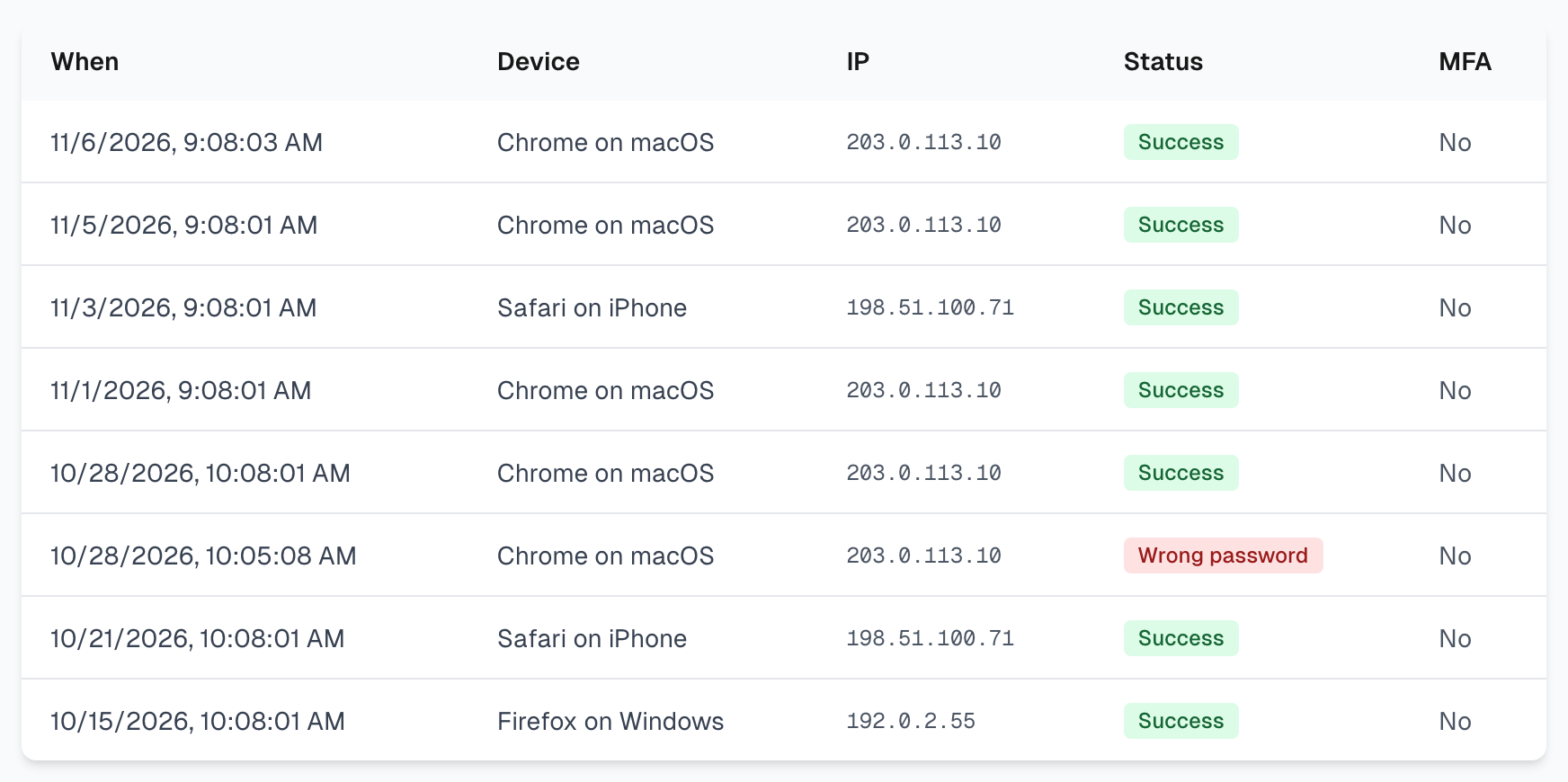
What the columns mean
When: the date and time of the attempt.
Device: the browser and system, such as Chrome on macOS.
IP: the internet address it came from. This can change from day to day on the same device.
Status: Success means the password was right. Wrong password and Account locked mean the attempt failed.
MFA: Yes means a two-factor code was entered too.
What is not listed
The table shows password sign-ins on the web only. These do not appear:
Signing in with Google.
Signing in to the browser extension. See Profile and security for those sessions.
Wrong two-factor codes.
If two-factor authentication is on
Success means the password step only. So a row with Success and No under MFA can mean one of two things:
That browser did not need a code, because you trust it for 30 days or entered a code recently. This is normal.
Someone else used your password. The row does not show what happened next.
If you do not recognize the device, treat it as the second case and change your password.
If you see something you do not recognize
Change your password. You are then signed out everywhere, including the browser extension. See Profile and security.
Turn on two-factor authentication if it is off.
Check Settings > Browser extension and revoke any session you do not know.
We also email you when your password is used on a new device on the web, with a link to reset it. A single Wrong password row is usually a typo, and it does not mean someone got in.
If something goes wrong
It says Account locked
Too many wrong passwords were entered from that address, so sign-ins from there are paused for 30 minutes. Wait and try again. See Login and access.
Today's sign-in is missing
You probably signed in with Google, or you are still signed in from earlier.
The table is empty
You have not signed in with a password yet, which is normal if you use Google.
Last updated